EPF Balance Check 2026: 5 Ways to Check Your PF Balance Right Now – Without Visiting Any Office
By C. Thiruvenkatam | Daily Hind News | 25 May 2026
Every month, a portion of your salary quietly goes into your EPF account. Your employer adds their share on top. And interest gets credited annually at the current rate of 8.25% per annum for 2025-26. Yet most salaried Indians have no idea how much is actually sitting in their provident fund account — because nobody told them clearly how to check it.
You do not need to visit an EPFO office. You do not need to ask your HR department. You do not need to fill any form. Your EPF balance is accessible in under 2 minutes from your phone — five different ways, depending on what you have handy right now.
What You Need Before Checking — One Essential Requirement
Almost every EPF balance check method requires your UAN — Universal Account Number.
Your UAN is a 12-digit number assigned to you by EPFO when you first joined a company with PF coverage. It stays the same throughout your career — even when you change jobs.
Where to find your UAN:
- Your salary slip — most companies print it there
- Your offer letter or appointment letter
- Your company’s HR or payroll department
- The EPFO member portal itself — if you remember your registered mobile number
If you do not know your UAN at all:
- Go to unifiedportal-mem.epfindia.gov.in
- Click “Know Your UAN”
- Enter your Aadhaar number or PAN and registered mobile number
- Your UAN appears via OTP verification
Once you have your UAN — you are ready.
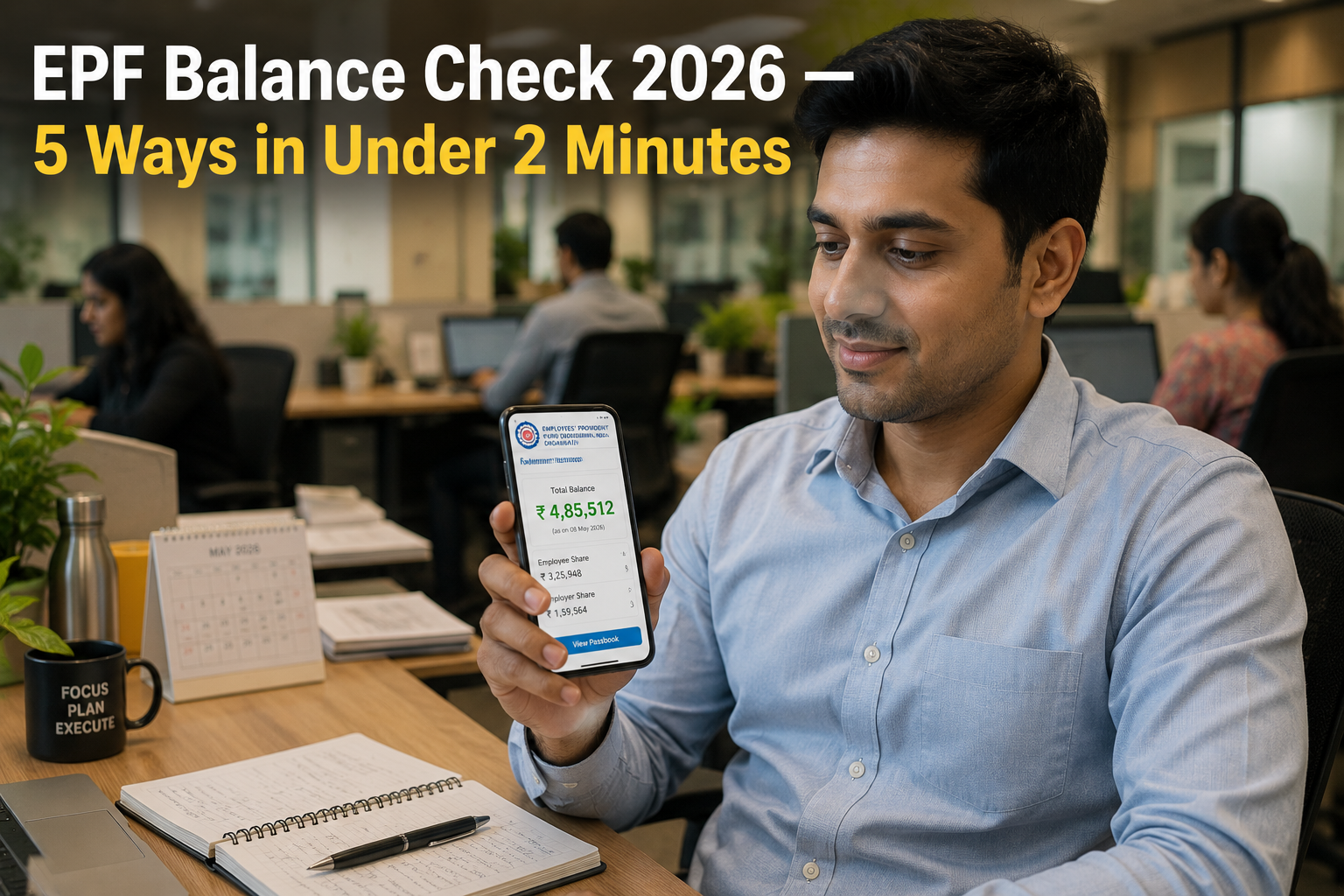
Method 1 — EPFO Member Portal (Most Detailed)
This gives you your complete passbook — every contribution, every interest credit, every withdrawal — not just the balance.
- Go to passbook.epfindia.gov.in
- Enter your UAN and Password
- Enter the Captcha shown on screen
- Enter the OTP sent to your Aadhaar-linked mobile number
- Click on your Member ID — if you have worked at multiple companies, each appears separately
- Your complete EPF passbook loads — showing employee contributions, employer contributions, pension contributions, and interest credited
To download your passbook as PDF: Click the “Download Passbook” button at the top of the passbook page. Save it — this PDF is useful for loan applications, visa applications, and financial planning.
PRO TIP: If your passbook shows contributions missing for any month, do not ignore it. Your employer may have deducted PF from your salary but not deposited it with EPFO. This is a legal violation. Raise a grievance immediately at epfigms.gov.in with your salary slip as proof.
Method 2 — UMANG App (Easiest on Mobile)
The UMANG app is the Government of India’s unified mobile platform — and it has the smoothest EPF balance check experience on a smartphone.
- Download UMANG from Google Play Store or Apple App Store
- Open the app and log in with your mobile number via OTP
- Search “EPFO” in the search bar
- Select “Employee Centric Services”
- Tap “View Passbook”
- Enter your UAN and authenticate via OTP
- Your EPF balance and passbook appear instantly
The UMANG app also lets you check claim status, raise grievances, and update KYC — all from the same interface.
IMPORTANT: EPFO introduced Face Authentication Technology (FAT) in 2026 for UAN activation via UMANG. If you have not yet activated your UAN, the UMANG app now handles the entire activation process using your phone’s front camera and Aadhaar biometrics — no website or computer needed.
Method 3 — Missed Call Service (Fastest — No Internet Required)
Give a missed call to 9966044425 from your UAN-registered mobile number.
That is it. EPFO sends you an SMS within 2 minutes showing:
- Your current EPF balance
- Your last contribution amount
- Your Member ID
No internet. No login. No app. Works on any basic phone — including a ₹800 keypad phone.
This only works if your mobile number is registered and activated with your UAN. If you have changed your phone number since joining your current job, this method will not work until you update your number in the EPFO portal.
Method 4 — SMS Service (For Regional Language Preference)
Send an SMS to 7738299899 from your registered mobile number:
Format: EPFOHO UAN ENG
Replace ENG with your preferred language code:
- ENG — English
- HIN — Hindi
- MAR — Marathi
- GUJ — Gujarati
- PUN — Punjabi
- KAN — Kannada
- TEL — Telugu
- TAM — Tamil
- MAL — Malayalam
- BEN — Bengali
You receive your EPF balance details as an SMS in your chosen language within minutes.
PRO TIP: The SMS service is particularly useful for workers in manufacturing, construction, and retail who have basic phones and prefer their regional language. Share this method with colleagues who may not know it exists.
Method 5 — DigiLocker (For Official Document Storage)
DigiLocker now integrates with EPFO to let you access and store your EPF passbook as an official government document.
- Go to digilocker.gov.in or open the DigiLocker app
- Sign in with your Aadhaar-linked mobile number
- Search “EPFO” in the search bar
- Select “EPF Passbook”
- Enter your UAN when prompted
- Your passbook saves to your DigiLocker account permanently
The DigiLocker passbook is legally valid as proof of savings — useful when applying for home loans, personal loans, or visa applications where financial proof is required.
Understanding Your EPF Passbook — What Each Entry Means
Many people check their balance but do not understand what the passbook is showing them. Here is a plain-English explanation:
| Column in Passbook | What It Means |
|---|---|
| Employee Share | 12% of your basic salary — deducted from your pay |
| Employer Share | 3.67% of your basic salary — your employer adds this |
| EPS (Pension) | 8.33% of your employer’s contribution — goes to pension fund |
| Interest Credited | Annual interest at 8.25% on accumulated balance |
| Withdrawal | Amount withdrawn for advance, loan, or full settlement |
| Closing Balance | Total EPF balance at end of that financial year |
The EPF interest rate for 2025-26 is 8.25% per annum — credited once a year at the end of the financial year. Do not expect to see it credited month by month.
2026 EPFO Updates — What Is New This Year
EPFO made several significant changes in 2026 that every member should know:
EPFO Portal 3.0
The member portal received a major upgrade in 2026. The most important change for members: KYC updates no longer require employer approval. Previously, any change to your bank account, Aadhaar linkage, or PAN required your employer to digitally approve it — causing delays of weeks or months when employers were unresponsive. Members can now update KYC details independently.
UPI-Enabled Withdrawals
EPFO now supports PF advance withdrawals directly to your UPI-linked bank account — without needing to enter bank account details or wait for NEFT processing. Settlements in eligible cases complete within 72 hours.
E-PRAAPTI Portal for Old Accounts
If you have old PF accounts from previous jobs that were opened before UAN was introduced — those accounts may have become inaccessible. The new E-PRAAPTI portal allows you to track and merge these old accounts using Aadhaar authentication, without visiting any regional EPFO office.
Nidhi Aapke Nikat 2.0
EPFO officers now visit local districts every month on the 27th to resolve PF grievances on-site. If you have a complex issue — wrong name, missing contributions, transfer problems — you can meet an EPFO officer at your district headquarters without travelling to the regional office.
Common Problems and How to Fix Them
Problem 1 — “Invalid Credentials” When Logging In
Fix: Go to unifiedportal-mem.epfindia.gov.in → Click “Forgot Password” → Reset using your UAN and Aadhaar OTP.
Problem 2 — Passbook Shows Zero Balance or Old Data
Fix: Passbooks update after the employer deposits monthly contributions — typically by the 15th of the following month. If contributions are consistently missing, raise a grievance at epfigms.gov.in and attach your salary slip showing PF deduction.
Problem 3 — Mobile Number Not Registered With UAN
Fix: Visit your employer’s HR department — they can update your registered mobile through the employer portal. Alternatively, visit the nearest EPFO office with your UAN and Aadhaar for direct update.
Problem 4 — Multiple Member IDs Showing in Passbook
This is normal if you have worked at multiple companies. Each company creates a separate Member ID linked to your UAN. All of them show in your passbook. Transfer old accounts to your current one using “One Member — One EPF Account” transfer option in the member portal.
Problem 5 — Interest Not Credited for Last Financial Year
EPFO credits annual interest between February and June of the following financial year. If you are checking before June 2026, the 2025-26 interest may not yet be reflected. Check again in June or July.
How Much Should Your EPF Balance Be? A Reality Check
Many employees are surprised — and sometimes concerned — when they finally check their balance. Here is a rough guide to help you assess whether your balance looks correct:
| Monthly Basic Salary | Years of Service | Approximate Expected Balance |
|---|---|---|
| ₹15,000 | 5 years | ₹1.5 lakh — ₹2 lakh |
| ₹25,000 | 5 years | ₹2.5 lakh — ₹3.5 lakh |
| ₹50,000 | 10 years | ₹10 lakh — ₹14 lakh |
| ₹1,00,000 | 10 years | ₹20 lakh — ₹28 lakh |
These are approximate figures assuming continuous employment with no withdrawals. If your balance is significantly lower than expected, check whether your employer has been depositing contributions regularly — missed deposits are more common than most employees realise.
Frequently Asked Questions
Q: I changed jobs last year. Will my old PF balance show in the new passbook?
Only if you completed a PF transfer from your old account to the new one. If not transferred, your old balance sits separately under your old Member ID — both linked to the same UAN. Initiate a transfer at the member portal under “One Member — One EPF Account” to consolidate.
Q: My employer deducts PF but contributions are not showing in my passbook. What do I do?
This means your employer is deducting PF but not depositing with EPFO — a serious violation of labour law. Raise a grievance at epfigms.gov.in with your salary slip as proof. You can also file a complaint with your regional EPFO office. The employer faces penalties and back-deposit obligations.
Q: Can I check EPF balance without UAN?
Not through the standard digital methods. If you genuinely do not have a UAN, visit your employer’s HR department — they are legally required to provide it. For very old accounts pre-dating UAN, use the E-PRAAPTI portal at epfindia.gov.in.
Q: What is the current EPF interest rate for 2025-26?
The EPF interest rate for 2025-26 is 8.25% per annum, unchanged from 2024-25. This is one of the highest guaranteed returns available on any savings instrument in India — completely tax-free if withdrawn after 5 continuous years of service.
Q: Can I withdraw my EPF before retirement?
Yes — partial withdrawals are allowed for specific purposes: medical emergency (up to ₹1 lakh or 6 months’ basic salary), home purchase, education, or marriage. Full withdrawal is only permitted after retirement or 2 months of unemployment. Tax applies on withdrawals before 5 years of continuous service.
Q: My passbook is not loading — just showing a blank page. What should I do?
Clear your browser cache and try again. If using a mobile browser, switch to the UMANG app instead — it is more stable than the passbook portal during peak hours. Alternatively, use the missed call service on 9966044425 for an instant balance without any portal access.
Check Your Balance Right Now — Then Do One More Thing
Go to passbook.epfindia.gov.in or give a missed call to 9966044425 and check your EPF balance today. Most people who do this for the first time are surprised — either pleasantly or unpleasantly.
If pleasantly — your retirement corpus is building well. Consider whether voluntary additional contribution (VPF) makes sense for your situation.
If unpleasantly — contributions may be missing. Take action immediately. Your money is involved and the law is on your side.
Share this with salaried colleagues, especially those who have been working for 5 to 10 years and have never once checked their EPF balance. That is an alarmingly large group — and this information directly protects their money.
About the Author C. Thiruvenkatam is the founder and editor of Daily Hind News. With over a decade of experience in digital publishing and Indian civic information, he helps English-speaking Indians worldwide navigate government processes, schemes, and citizen services with clarity and confidence.